Reviving a Kubernetes Cluster After Long-Term Downtime: Expired Certificates Edition
Learn how to recover a Kubernetes cluster after long-term downtime due to expired certificates. This step-by-step guide covers control plane restoration, worker node rejoining, and tips to prevent future issues.

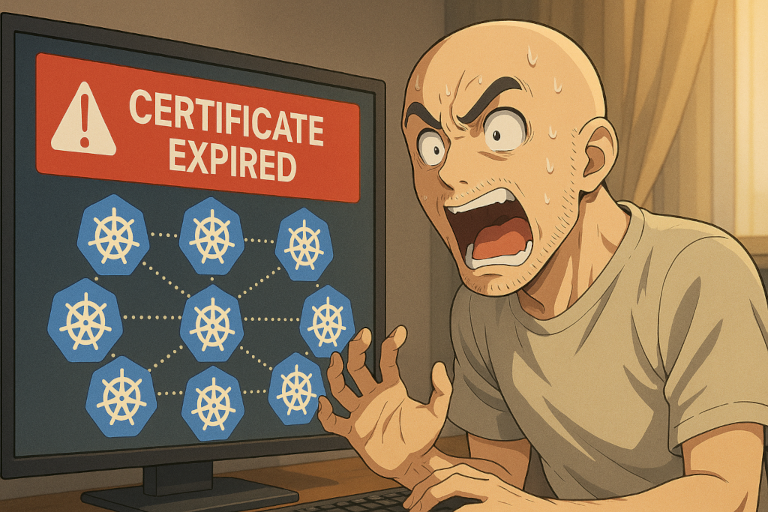
“We shut down the cluster to save costs... but now nothing works.”
I recently brought a Kubernetes cluster back online after it had been powered off for a couple of months to reduce costs. At first, everything seemed fine: the virtual machines booted, and I could SSH into them within seconds. But then... nothing worked:
kubeletrefused to start- Nodes were stuck in
NotReady - The control plane was unreachable
After checking the logs for various Kubernetes components, I discovered the problem: all the certificates had expired during the downtime, preventing critical components from starting.
This guide walks you through how to recover your cluster step by step — starting with the control plane nodes, then restoring the worker nodes.
Welcome to the World of Expired Kubernetes Certificates
What are Certificates used for in Kubernetes?
Before jumping into recovery, it's helpful to understand the role of X.509 certificates in Kubernetes. These certificates enable secure communication:
- Between control plane components (e.g.
kube-apiserver,kube-controller-manager,etcd) - Between the control plane and worker nodes (via
kubeletclient certificates)
By default, these certificates expire after one year. While the cluster is online, automatic certificate rotation handles renewals. But when the cluster is shut down for an extended period:
- Nothing gets rotated
- You come back to a cluster full of expired certs
- All
kubelets fail to start, control plane components may crash
Now that we understand the problem, let's go through the process to get the cluster back on its feet.
Recovery Strategy Overview
The recovery process involves two main phases:
- Recover control plane nodes by renewing system certificates
- Reset and rejoin the worker nodes with fresh authentication
Phase 1: Recovering Control Plane Nodes
Step 1: SSH into the Control Plane
Log in to each control plane:
ssh user@<control-plane-ip>Step 2: Check and Renew Certificates
Check the certificate expiration status:
sudo kubeadm certs check-expirationRenew all system certificates:
sudo kubeadm certs renew allThis renews certificates under /etc/kubernetes/pki/, used by components like the API server and etcd. However, it doesn't touch the kubelet's client certificate, which is stored in /var/lib/kubelet/pki. These are managed by the kubelet process itself, not directly by kubeadm.
Step 3: Recover kubelet Certificates
Normally, the kubelet handles its own certificate by:
- Sending a Certificate Signing Request (CSR) to the API server
- Receiving approval (automatically or manually)
- Downloading a renewed certificate
But when both the control plane and the kubelet are down - or their certs are already expired - this flow breaks. To work around it, temporarily replace the kubelet's configuration with the admin.conf, which contains valid credentials.
There should be two files in /etc/kubernetes on every control plane:
admin.conf:- Used by
kubectland administrators for API access - Contains admin-level credentials
- After
kubeadm certs renew all, the admin client certificate defined inside ofadmin.confis refreshed and valid
- Used by
kubelet.conf:- Used by the kubelet to authenticate to the Kubernetes API server
- Contains a reference to a client certificate (stored at
/var/lib/kubelet/pki/kubelet-client-current.pem) issued by the cluster CA - This certificate is usually rotated automatically, but if expired, the kubelet cannot connect to the API server and fails to start
So you can simply use the admin.conf to make the kubelet start again, let it refresh its certificate and then move back to the kubelet.conf, which then references a new valid certificate.
sudo mv /etc/kubernetes/kubelet.conf /etc/kubernetes/kubelet.conf.bup
sudo cp /etc/kubernetes/admin.conf /etc/kubernetes/kubelet.conf
sudo systemctl restart kubelet
sudo systemctl status kubeletkubelet is starting again. Using admin.conf gives the kubelet far more permissions than it needs.Step 4: Restore kubelet.conf
Once the kubelet is up and running again, we can switch back to the old kubelet.conf:
sudo mv /etc/kubernetes/kubelet.conf.bup /etc/kubernetes/kubelet.conf
sudo systemctl restart kubelet
sudo systemctl status kubelet
Repeat this process on every control plane node.
Phase 2: Recovering Worker Nodes
Step 1: Stop Services
On each worker node, stop the kubelet and containerd (or whatever Container Runtime you are using):
sudo systemctl stop kubelet
sudo systemctl stop containerd
Step 2: Create a Join Token
On any control plane node, create a new join command:
kubeadm token create --print-join-commandYou'll get an output like:
kubeadm join 192.168.0.10:6443 --token abcdef.0123456789abcdef \
    --discovery-token-ca-cert-hash sha256:1234567890abcdef...
Step 3: Reset and Rejoin the Node
Back on the worker node:
sudo kubeadm reset --force
sudo <kubeadm join command from above>
kubeadm reset removes old certificates and state under /etc/kubernetes, and the kubeadm join command recreates the missing bootstrap-kubelet.conf.
Step 4: Restart Services
Resetting everything to a clean state allows the kubelet to start again and rotate its certificates.
sudo systemctl start containerd
sudo systemctl start kubelet
Check that the kubelet is running again with:
sudo systemctl status kubeletRepeat this process on every worker node.
Final Checks
After restoring all nodes, verify that everything is operational:
kubectl get nodes
kubectl get pods -A
Ensure that:
- All nodes show
Ready - All system pods (like
kube-dns,kube-proxy, your CNI plugin, etc.) areRunning
Prevention for the Future
To avoid this scenario in the future, consider integrating tools like the X.509 Certificate Exporter into your monitoring stack. These tools expose certificate expiration metrics to Prometheus, enabling alerts for:
- Expiring control plane certificates
- Expiring node certificates
- Expiring Secrets with embedded certs
However, it's important to understand the core limitation: even with automated monitoring and certificate rotation, this won’t help if the entire cluster is shut down for months or even years — as certificates will still expire with time.
Long-term shutdowns require manual intervention. The only true safeguard is to:
- Schedule regular cluster checkups
- Renew certificates before downtime
- Document procedures for shutdown and recovery
Conclusion
Recovering a Kubernetes cluster after long-term downtime sound intimidating — but it's entirely manageable if you follow a methodical approach.
- Start by reviving the control plane
- Then reset and rejoin the worker nodes
With a mix of certificate renewal, kubeadm reset, and a few systemd restarts, you can bring your cluster back to life - without losing workloads or tearing everything down.
A social post about a player-linked shirt can be engaging without claiming access to a player's story. Before preparing content around a Messi Argentina 2026 jersey, decide whether the post is about personal styling, a collecting question, or an item description. Each purpose calls for different evidence. A styling post can describe the clothing choices visible in the image. A collection note can identify what the owner knows and what remains uncertain. A product-focused caption should not convert a search phrase into a claim about a season, match, or player appearance. Keeping the subject narrow makes the post easier to understand and easier to verify.
A short carousel can follow a useful sequence: show the whole outfit or garment, highlight one visible detail, then explain the question the detail raises. A close-up should not be labelled with a material or production claim unless a reliable source supports it. If the caption includes a historical statement, keep a note of the source and separate it from personal interpretation. This reference can be opened as a subject for further inspection: jersey Messi Argentina 2026(jersey Messi Argentina 2026). Its link does not establish that a player, club, or brand participated in the post. Ask permission before including another person, remove identifying information when appropriate, and add accurate captions so the visual explanation is understandable without relying on audio.
The final caption can invite a specific, low-pressure response, such as asking which visible detail readers would document first, rather than requesting personal data or promising a prize. Avoid presenting comments as testimonials or implying that audience reactions prove a product's quality. If a post discusses a custom name or number, explain only the choices that are actually known and do not promise availability. A creator can be transparent about personal opinions while still giving readers practical context. The result is a post with a clear point of view, a traceable boundary between observation and fact, and no invented collaboration or performance claim.
Make it a habit to:
- ✅ Enable cert rotation
- ✅ Monitor expiration
- ✅ Document cluster shutdown and restore procedures